
How to Choose an Industrial Printer Supplier in Malaysia (2026 Guide)
A practical 2026 guide for Malaysian businesses choosing industrial printer support, equipment and after-sales capability for real production work.
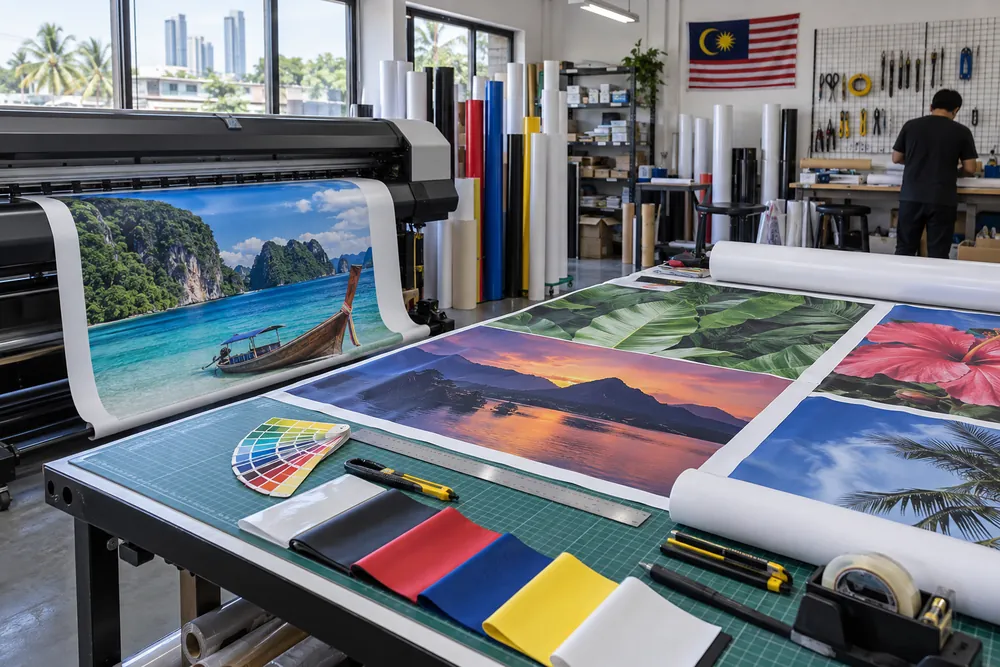
The wrong industrial printer supplier can leave a capable machine waiting on ink, parts, training or answers when production is already booked. A good supplier does more than quote an industrial printer: it helps you test the right application, set up the workflow and keep the operation moving after installation. For a large-format purchase in Malaysia, compare the supplier’s local capability before comparing only the machine price.
ACXUS has supplied Sign & Graphics and Industrial-market printing solutions since 2001, with its headquarters in Semenyih, Selangor. Start by reviewing its large format inkjet printers page, then take your actual jobs, materials and turnaround requirements into the supplier discussion.
Quick Summary: Choose an industrial printer supplier in Malaysia by checking whether it can support your specific applications before and after delivery. Ask about printhead and ink availability, spare-parts stock, running costs, warranty terms, service response, operator training and whether a local or imported machine suits your risk tolerance. A relevant sample test and a written support scope matter more than a headline quotation.
Key Takeaways
- Specify your materials, output size, volume and finishing steps before asking for a recommendation.
- Compare supplier support for printheads, ink, parts, warranty, response time and operator training.
- ACXUS states that it offers on-site installation and training, nationwide technical support and financing options for relevant projects.
- Use a real file and material sample in the demonstration, not a generic showroom output.
- Decide whether the support and parts pathway for a local or imported machine fits the downtime risk your business can accept.
Table of Contents
- Table of Contents
- Key Takeaways
- What should you define before choosing an industrial printer supplier?
- What local supplier capability should Malaysian buyers verify?
- What should be on an industrial printer supplier checklist?
- How should you compare UV and large-format printing options?
- What should happen during an industrial printer demonstration?
- How do local and imported machine support models compare?
- FAQ: Industrial Printer Suppliers in Malaysia
- Related ACXUS Links
What should you define before choosing an industrial printer supplier?
Define the work before you compare an industrial printer supplier. The supplier needs your application, substrate, maximum print size, expected volume, finishing steps and deadline pressure to recommend a workable route.
List the jobs you already outsource or struggle to complete: banners, display graphics, labels, boards, window graphics or customised items. Add the artwork files, material samples and the output quality your customer expects. This turns a broad “which printer is best?” conversation into a testable production brief.
Also identify the constraints that affect the purchase after delivery. Consider floor space, power, ventilation, operator experience, RIP workflow, unloading space and whether finishing happens in-house. A machine that suits the printed application but creates a bottleneck at loading, drying, cutting or installation is not automatically the right business choice.
ACXUS presents both its own UV printer range and Mimaki printing solutions, so the discussion can start with application fit rather than a single technology. For buyers comparing direct-to-substrate work, review the ACXUS UV printers page and bring a representative sample for a practical discussion.
Bring a production brief, not only a budget
Give the supplier one sample job with the material, size, artwork, expected quantity and finishing requirement. It is easier to assess output, workflow and support needs when the demonstration is based on a job your team actually intends to sell.
What local supplier capability should Malaysian buyers verify?
Verify who will support the industrial printer after it reaches your site. The practical questions are where the technicians, consumables and critical parts are located, how a service request is handled and what training is included for the people who will operate the equipment.
ACXUS states on its Mimaki page that it is a certified Mimaki distributor and offers dedicated installation, on-site training, rapid technical support nationwide and flexible financing. Its large-format printer page also says its local team provides installation, calibration and training across Malaysia. These statements are useful starting points, but request the project-specific support scope in writing before you place an order.
Location can matter when a production deadline is tight. ACXUS is based in Semenyih, Selangor, and its large-format page describes nationwide coverage including KL, Selangor, Penang and Johor. Ask how this coverage applies to your site, whether remote troubleshooting is available and what happens if a visit, part or printhead is required.
Check recent operational evidence as well as supplier claims. ACXUS Latest Updates recently reported a UV A3 printer delivered and installed on 19 September 2026, followed by a Mimaki JV200-160 installed and ready for production on 12 September 2026. These updates show the types of installations the company is publishing; ask for a discussion relevant to your own application rather than assuming every setup is identical.

What should be on an industrial printer supplier checklist?
A practical supplier checklist should make support commitments comparable. Ask each supplier the same questions and record the answer, the person responsible and anything that must be confirmed before you sign.
The table below focuses on operational risk, not only machine features. It helps a buyer compare what keeps an industrial printer productive when consumables, maintenance or operator questions arise.
| What to check | Ask the supplier | Evidence to request | Why it matters |
|---|---|---|---|
| Printhead & ink availability | Which printheads and inks are used, and how are they supplied? | Consumables list, lead time and compatible ink guidance | Reduces uncertainty around production continuity and running cost. |
| Running cost | What inputs, maintenance items and service items should be budgeted? | Application-based cost discussion using your job sample | Supports a realistic margin calculation instead of a purchase-price-only comparison. |
| Spare-parts stock | Which critical parts are held locally and what must be ordered? | Parts-support process and escalation contact | Shows the likely path when a fault affects a live job. |
| Warranty terms | What is covered, excluded and required from the operator? | Written warranty scope and maintenance responsibilities | Prevents assumptions about coverage after delivery. |
| Service response | How is a technical request logged, triaged and escalated? | Named support route and coverage area | Clarifies how downtime is handled in practice. |
| Training | Who is trained, for how long and on which workflow tasks? | Installation and training agenda | Helps operators start with repeatable procedures. |
| Local vs imported machine | Where do technical support, parts and warranty decisions sit? | Local-service and import-support pathway | Balances initial price against support and lead-time risk. |
Do not treat a blank answer as a minor detail. If a supplier cannot yet confirm a part, service response or warranty point, record it as an open item and decide whether it needs to be resolved before the order. Confirm latest specification with ACXUS.
How should you compare UV and large-format printing options?
Compare printing technologies against the materials and applications you need to produce, not against a generic ranking. UV and large-format printer workflows can serve different jobs, so the right choice depends on what your business needs to print consistently.
For example, the ACXUS UV Flatbed page describes its AC-FB2513 for large-format and high-volume production, while the AC-FB6090 is positioned for startups and small workshops. It also describes instant-drying UV ink, white-ink support and raised-effect capability. Those are application considerations, not a replacement for testing your own substrate and artwork.
If outdoor graphics, banners, vehicle graphics or similar media are central to the brief, compare the eco-solvent printer route with the same discipline. Ask what material preparation, colour management, finishing and maintenance expectations apply to the jobs you want to win.
An industrial printer supplier should explain the trade-offs clearly: expected output, application limits, consumables, operating routine and service path. The better recommendation is the one that fits your work and your team, not simply the one with the longest feature list.
What should happen during an industrial printer demonstration?
A useful industrial printer demonstration should use a real job, not only a supplier-selected artwork file. It should show the workflow from material preparation through output handling, with time for the buyer to ask about setup, operator steps and maintenance.
Send the file and material details before the appointment. Ask the supplier to explain what is being tested, which setting or ink choice is relevant, what the output proves and what still needs checking. Photograph or retain the sample, then note the exact material and workflow used so you are not comparing different conditions later.
Include the people who will actually handle the equipment. Operators can assess loading, media alignment, daily maintenance and handover steps; sales or production managers can assess whether the result meets the promised application. If finance is involved, use the sample job to discuss a realistic production and support plan rather than projecting output from a brochure.
How do local and imported machine support models compare?
A local support model can shorten the route to installation, training, consumables and technical help; an imported option may still suit a buyer if the service and parts pathway is clear. The decision is not local versus imported as a slogan—it is whether the full support arrangement fits your production risk.
Compare the named local contact, service territory, parts availability, warranty process and escalation route. Then compare the same points for any machine supported mainly through an overseas principal or reseller. A lower initial figure may be worthwhile, but only when the business can accept the likely waiting time and support process.
ACXUS displays a 5.0 Google rating on its homepage and an embedded Google-review widget marked “Excellent” based on 20 reviews. Treat ratings as one signal, then validate the support model through a demonstration, written scope and direct questions about your application.
Ready to compare a printing setup against your actual jobs?
Send ACXUS the product or application you want to produce, your material, finished size, estimated monthly volume, sample artwork and the support questions that matter to your team. Review large format inkjet printers first, then ask for a discussion based on your workflow rather than a generic model comparison.
FAQ: Industrial Printer Suppliers in Malaysia
What should I ask an industrial printer supplier before buying?
Ask about application fit, printhead and ink supply, expected running costs, local spare-parts stock, warranty terms, service response and training. Bring a real artwork file and material sample. A useful answer should relate to your production workflow, not only a machine specification sheet.
Is on-site installation and training important for an industrial printer?
Yes. Installation and training help the operator understand loading, calibration, routine care and the correct workflow for the intended jobs. ACXUS states that it offers dedicated installation and on-site training; ask for the specific agenda, duration and participant requirements for your project.
How do I compare an industrial printer’s running cost?
Use a typical job rather than a broad estimate. Ask which inks, printheads, maintenance items, media preparation and finishing steps apply, then calculate the expected cost against the output you need to sell. Record assumptions so supplier quotations are being compared on the same basis.
Should I choose a local or imported industrial printer?
Choose the support model that fits your downtime risk and application needs. Compare named local service contacts, spare-parts pathway, warranty process, consumables lead time and training scope. An imported machine can be viable, but buyers should understand who resolves technical issues and how long that may take.
Can an industrial printer supplier help with financing?
ACXUS states on its Mimaki page that flexible financing is available. Ask what options apply to the equipment and project you are considering, what documents are needed and whether the support, installation and training scope is included or quoted separately.
How can I judge a supplier’s recent installation experience?
Look for relevant published updates, then ask for a conversation focused on your application. ACXUS Latest Updates reported a UV A3 printer installation in September 2026 and a Mimaki JV200-160 installation the same month. These updates are useful context, but your own material and workflow should still be tested.
Related ACXUS Links
Industrial PrintingLarge Format PrintingPrinter Buying Guide