
Thinking Of Buying A UV Printer? Here Are 9 Things Malaysian Businesses Should Check First
Because the biggest, fastest or cheapest UV printer isn't automatically the right one for your business.
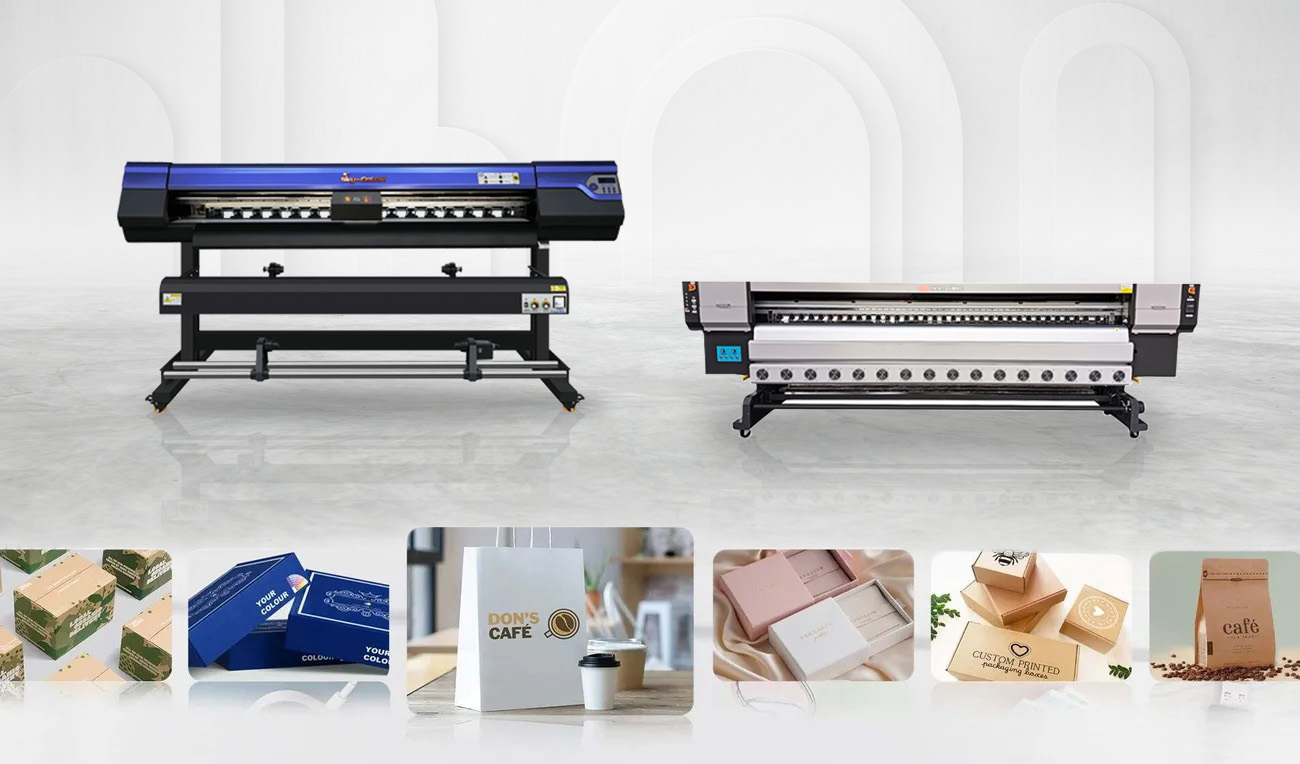
Found a UV printer with impressive specs and a tempting price? Don't place that order just yet. This UV printer guide will help you look beyond the spec sheet, because if the machine doesn't suit the products you actually sell, your workspace or your daily production volume, that expensive new printer could quickly become an expensive headache.
Quick Summary: Choosing a UV printer is really about matching the machine to your business. Start with what you want to print, then check print size, production volume, ink requirements, workflow, maintenance and local support. Flatbed, roll-to-roll, hybrid and UV-DTF printers solve different problems, so test your actual products before deciding.
Before You Buy, Remember These 5 Things
- Start with the products you sell, not the printer specifications.
- A bigger print area is useful only if your jobs actually need it.
- The fastest advertised speed may not be your real production speed.
- White ink, varnish and special effects should have a business purpose.
- Local training, spare parts and technical support can matter as much as the machine.
Here's What We'll Cover
- 1. First, What Are You Actually Planning To Print?
- 2. Flatbed, Hybrid Or UV-DTF? Here's The Difference
- 3. Don't Buy For Your Quietest Month
- 4. Bigger Isn't Always Better
- 5. Don't Get Too Distracted By DPI
- 6. The Printer Price Isn't The Full Cost
- 7. White Ink And Varnish Look Cool, But Do You Need Them?
- 8. Cheap Machines Aren't So Cheap When They're Not Running
- 9. Do This Before You Sign Any Quotation
- FAQ
1. First, What Are You Actually Planning To Print?
This sounds obvious, but it's probably the most important question in this entire guide.
Don't start by asking which UV printer has the most printheads, the highest DPI or the biggest bed.
Start with your customers.
Are they ordering acrylic signage? PVC boards? Custom bottles? Phone cases? Packaging samples? Large display panels? Stickers and flexible media?
Once you know where most of your revenue is likely to come from, choosing the right machine becomes much easier.
For example, a signage shop printing mostly acrylic and rigid boards has very different requirements from a custom-gift business printing hundreds of small personalised products.
The Simple Rule
Choose your UV printer around the jobs you expect to produce every week — not around one unusual job you might receive once a year.
2. UV Printer Guide: Flatbed, Hybrid Or UV-DTF? Here’s The Differencee
Once you know what you're printing, the next question is what type of UV printer actually makes sense.
| Printer Type | What It Does | Common Jobs | Who Should Consider It? |
|---|---|---|---|
| UV Flatbed | Prints directly onto rigid or suitably positioned materials | Acrylic, PVC board, wood, glass, panels, promotional items | Signage shops, fabricators and direct-to-object printers |
| Roll-to-Roll UV | Prints flexible material supplied from a roll | Vinyl, film, banners and other compatible roll media | Large-format printing businesses |
| Hybrid UV | Handles both rigid boards and selected roll media | Signboards, display panels and flexible graphics | Print shops regularly working with both formats |
| UV-DTF | Prints onto specialised film before transferring the design | Bottles, tumblers and irregular customised products | Gift, promotional and personalisation businesses |
And yes, UV-DTF deserves its own mention.
A conventional UV flatbed normally prints directly onto the product. UV-DTF works differently: the artwork is printed onto specialised film and later transferred onto the object.
That makes UV-DTF particularly handy when the product is curved, awkwardly shaped or difficult to position on a flatbed.
So if your business is producing tumblers, bottles and customised merchandise, UV-DTF may be worth considering.
But if you're producing flat acrylic signs and boards all day, a conventional UV printer may make much more sense.
3. Don't Buy A Printer For Your Quietest Month
Maybe you're only printing 20 pieces a day right now.
But what happens when a corporate client suddenly needs 300 pieces?
Or when year-end campaigns, exhibitions or festive promotions bring in more work than usual?
This is where production capacity starts to matter.
- Light production: Small customised jobs, samples and shorter runs.
- Medium production: Regular commercial work with multiple jobs throughout the day.
- High-volume production: Production environments where throughput and uptime directly affect delivery deadlines.
Don't only ask the supplier for the printer's maximum advertised speed.
Ask how quickly it can produce the print quality you would actually sell to your customers.
That's a much more useful number.
4. Bigger Isn't Always Better
Seeing a huge flatbed printer can make a smaller machine suddenly feel inadequate.
But do you actually need that much print area?
A large print bed makes sense when you're regularly producing large signage panels or when you need to print several smaller products together.
But bigger machines also need more room.
Before choosing the biggest printer you can afford, think about:
- Your normal material dimensions
- Your maximum expected job size
- How many products you want to print in one batch
- Floor space in your production area
- Loading and unloading space
- Operator access
- Technician access for maintenance
If 90% of your work fits comfortably onto a smaller machine, buying a much larger printer purely for the remaining 10% may not always be the smartest use of your budget.
5. Don't Get Too Distracted By DPI
Printer specifications love big numbers.
And DPI is one of the easiest numbers to compare.
But a higher number doesn't automatically mean the machine will be better for your business.
A close-up promotional product with tiny text may need a finer print mode. A large sign viewed from several metres away probably has very different requirements.
Higher-quality print modes can also take longer.
So instead of asking:
"What's the maximum resolution?"
Try asking:
"Which print mode would you recommend for the work I'm actually selling?"
Then ask to see it running.
6. The Printer Price Isn't The Full Cost
This is where comparing two quotations gets tricky.
One UV printer may appear cheaper initially, but the machine price is only one part of the investment.
You may also need to budget for:
- Installation
- UV ink
- RIP software
- Cleaning supplies
- Printheads and consumable parts
- Replacement components
- Operator training
- Preventive maintenance
- Electrical or workplace preparation
- Production downtime if something goes wrong
This is why searching for a single "UV printer Malaysia price" can only tell you so much.
Different machines can have completely different configurations.
Instead, work out what it costs to produce the finished product you're actually selling.
Think Cost Per Job, Not Just Machine Price
A more expensive printer may make financial sense if it gives you higher usable productivity, less waste or more reliable production. A smaller machine may be smarter if your current order volume doesn't justify industrial capacity.
7. White Ink And Varnish Look Cool, But Do You Actually Need Them?
One of the fun parts of UV printing is seeing what can be done beyond ordinary CMYK printing.
Depending on the printer and configuration, you may be able to use white ink, clear ink, primer and multiple printed layers.
This can open up applications such as:
- White layers behind graphics on transparent acrylic
- Printing onto coloured materials
- Gloss effects
- Raised or textured graphics
- Premium promotional products
- Decorative displays
Sounds great.
But there's one important question: will your customers pay for it?
If special effects allow you to sell higher-value products, they can be useful.
If you'll almost never use them, don't choose a machine purely because the demonstration looked impressive.
8. Cheap Machines Aren't So Cheap When They're Not Running
Imagine you have an urgent customer order due tomorrow.
Then your printer stops.
Suddenly, print speed and DPI aren't your biggest concerns anymore.
This is why after-sales support should be part of the buying decision from day one.
Before purchasing a UV printer in Malaysia, ask:
- Who installs the machine?
- Is operator training included?
- What does the warranty cover?
- Are common spare parts available locally?
- Who do you contact when there's a technical problem?
- Is preventive servicing available?
- Can the supplier help with ink and maintenance supplies?
A printer is a production machine. If the machine isn't producing, your business isn't getting much value from it.
ACXUS provides UV printing solutions together with Malaysian consultation, installation, training and after-sales support.
9. Do This Before You Sign Any Quotation
Bring your own sample.
Seriously.
Don't judge a UV printer only from a perfect demo file prepared specifically for the machine.
Ask the supplier to print something you actually sell.
Bring your acrylic, board, bottle, promotional item or whatever material matters to your business.
Use your own artwork if possible.
Then check:
- Colour
- Fine text
- Gradients
- White-ink coverage
- Adhesion
- Surface finish
- Actual production time
A brochure tells you what the machine can theoretically do.
Your own sample tells you whether it can do what you need.
So, Which UV Printer Should You Buy?
There's no single answer.
And that's actually a good thing.
A custom-gift business does not need the same setup as an industrial signage producer. A business printing mainly rigid boards should not automatically choose the same machine as a shop focused on bottles and personalised merchandise.
The best UV printer is the one that matches your most profitable applications without making your workflow unnecessarily complicated.
Printing Mainly On Rigid Boards?
Businesses producing acrylic signage, PVC boards, panels and similar rigid applications can consider the ACXUS AC-FB2513 UV Flatbed Printer.
Still Comparing Different UV Printer Types?
Browse the ACXUS UV printer range to compare available machines based on your material, print size and production needs.
Considering Mimaki?
You can also explore Mimaki UV printing solutions available through ACXUS for commercial UV printing applications.
And Don't Forget Who You're Buying It From
A UV printer can stay in your production area for years, so your relationship with the supplier shouldn't end when the invoice is paid.
Being able to arrange a demonstration, test a material, receive operator training, source inks and spare parts, and ask for technical support locally can make day-to-day ownership much easier.
That's especially important when the machine becomes a key part of your production workflow.
Not Sure Which UV Printer Fits Your Jobs?
Send ACXUS a photo or sample of what you want to print, your typical material size and your estimated production volume. We can help you narrow down the type of machine worth testing before you request a quotation.
Still Have Questions? Here's What Buyers Commonly Ask
Can one UV printer print everything?
No. UV printers vary by format, material handling, ink configuration and object size. A machine may technically support many applications, but you should choose one that performs well for the jobs your business produces regularly.
Is UV-DTF better than a UV flatbed printer?
Neither is automatically better. UV flatbed printing is useful for direct printing onto suitable rigid materials and objects, while UV-DTF is particularly useful when the final product is curved or difficult to position directly under a printhead.
Do I really need white ink?
White ink is especially useful when printing on transparent or coloured substrates because it can create an opaque base beneath the colour artwork. Whether you need it depends on the products you intend to sell.
Should I choose the fastest UV printer I can afford?
Not necessarily. Advertised speed can vary according to print mode and application. Compare the machine using the quality setting you would realistically use for customer work rather than maximum speed alone.
What's the easiest way to shortlist a UV printer?
Prepare three things: your main products, your typical material dimensions and your expected daily or monthly volume. A supplier can use that information to narrow the options before arranging a sample test and quotation.
One Last Thing
It's easy to get excited by a machine demonstration.
But you're not buying a demonstration.
You're buying a production tool your business may rely on every day.
So compare the machine around your actual products, workload, operating cost and support requirements — then test it with your own material before making the final call.
Want to compare suitable options first? Contact ACXUS for a UV printer consultation, demonstration or quotation.